Try Contextual

Try Contextual as a developer

How to build on Contextual, step by step, on the real developer service. Ade's veg box tracker is a made-up app, and it reads a made-up sample mailbox.

Using Contextual for your own mail? Try it for your mail. Run a firm? Try it as a firm.

Ade, the app and its mail are made up. Every screen is the real developer service. Keys and secrets are hidden in the pictures.
Your first app · 1 of 1

How to make an app

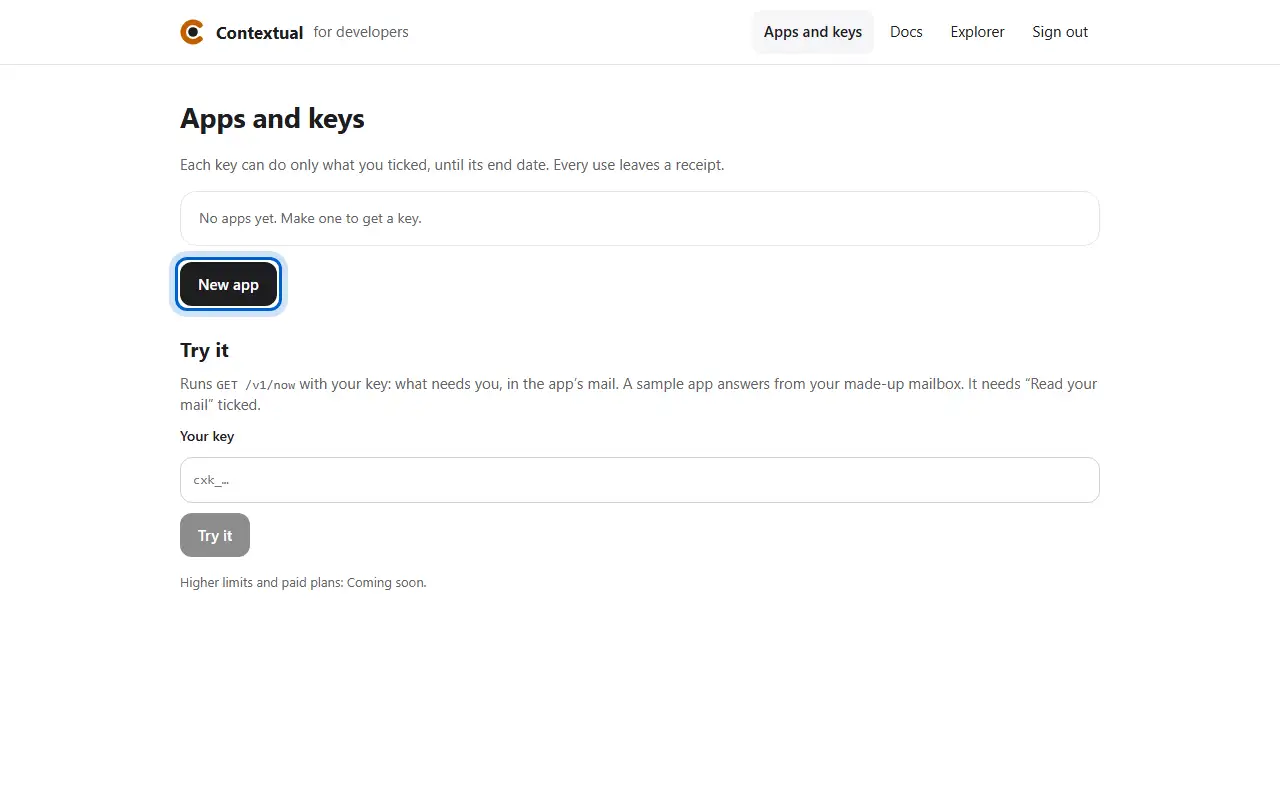
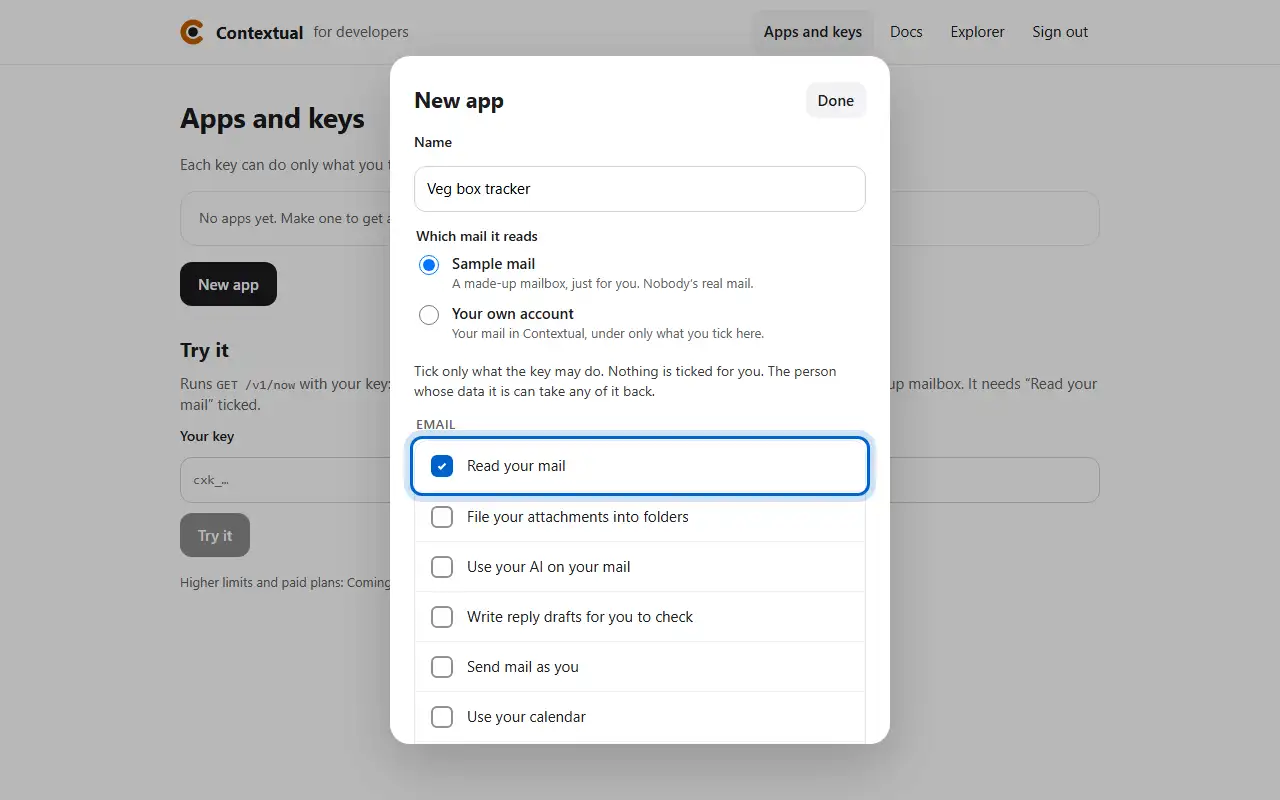
  1. In Apps and keys, press New app.
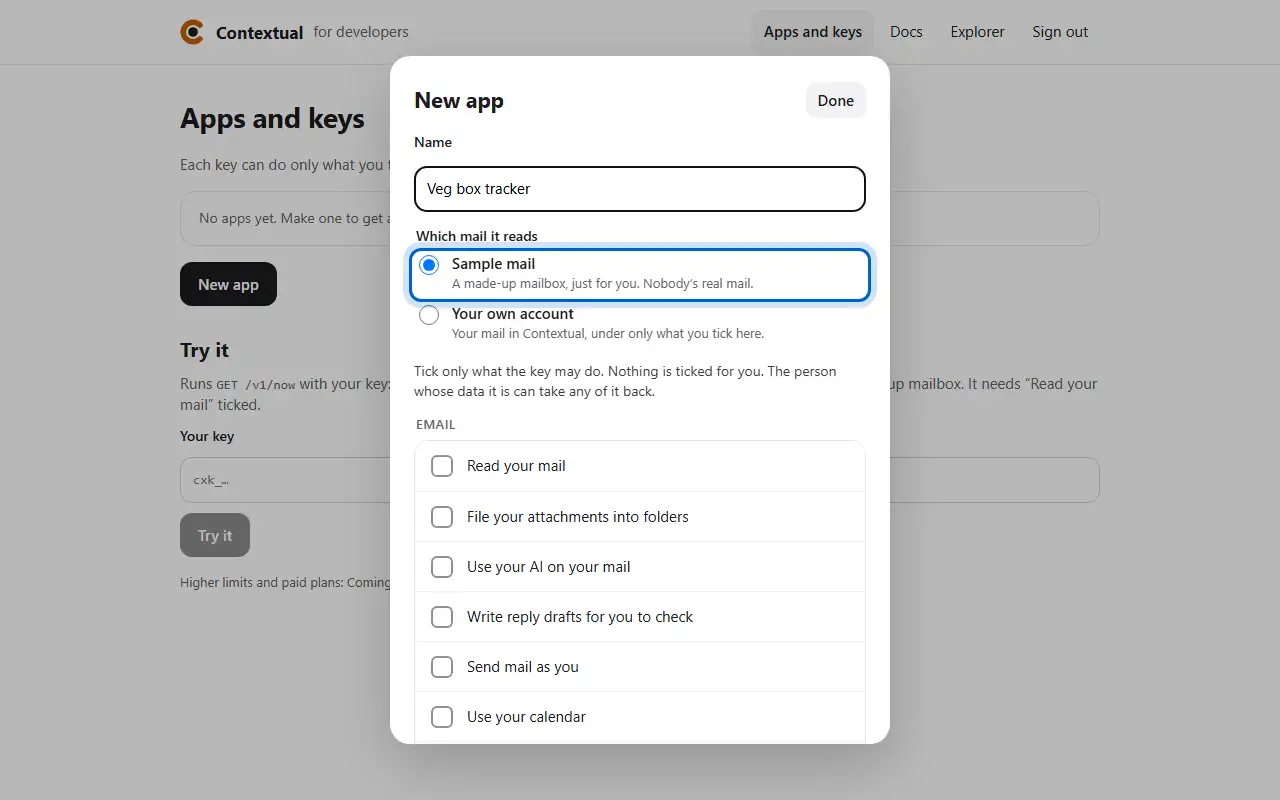
  2. Name it and choose Sample mail: a made-up mailbox.
  1. Step 1In Apps and keys, press New app.
  2. Step 2Name it and choose Sample mail: a made-up mailbox.
Keys and permissions · 1 of 3

How to choose what a key may do

  1. Tick what the key may do. The person whose data it is can revoke any of it.
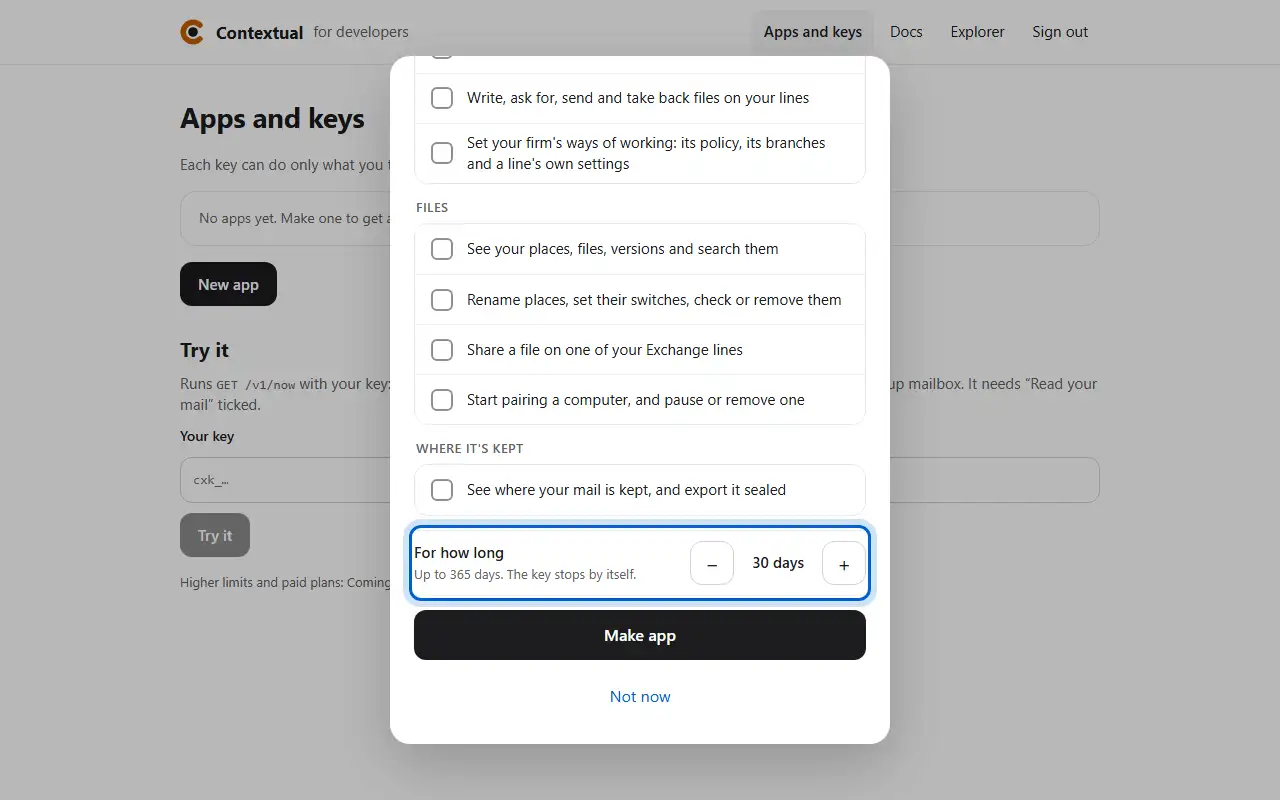
  2. Choose for how long, up to 365 days, then press Make app.
  1. Step 1Tick what the key may do. The person whose data it is can revoke any of it.
  2. Step 2Choose for how long, up to 365 days, then press Make app.
Keys and permissions · 2 of 3

How to keep your app's key

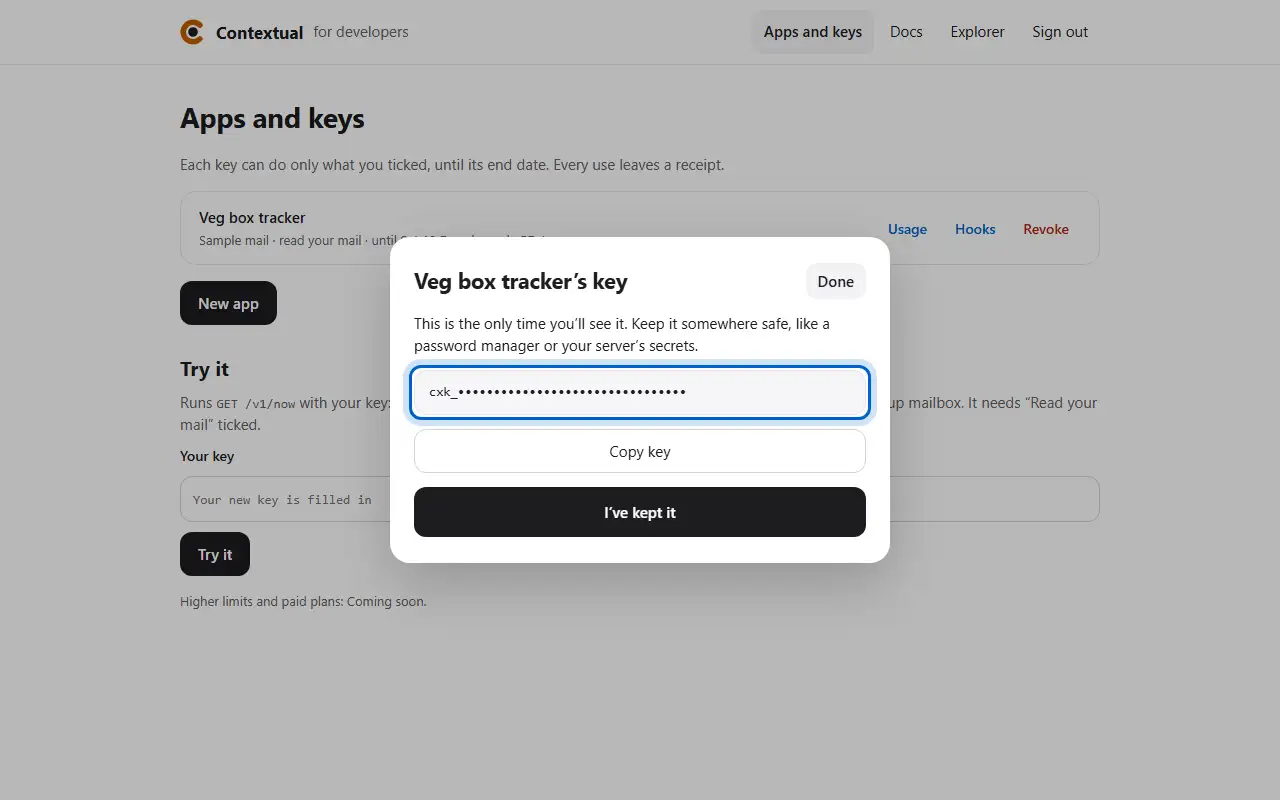
  1. The key shows once. Copy it somewhere safe, then press I’ve kept it.
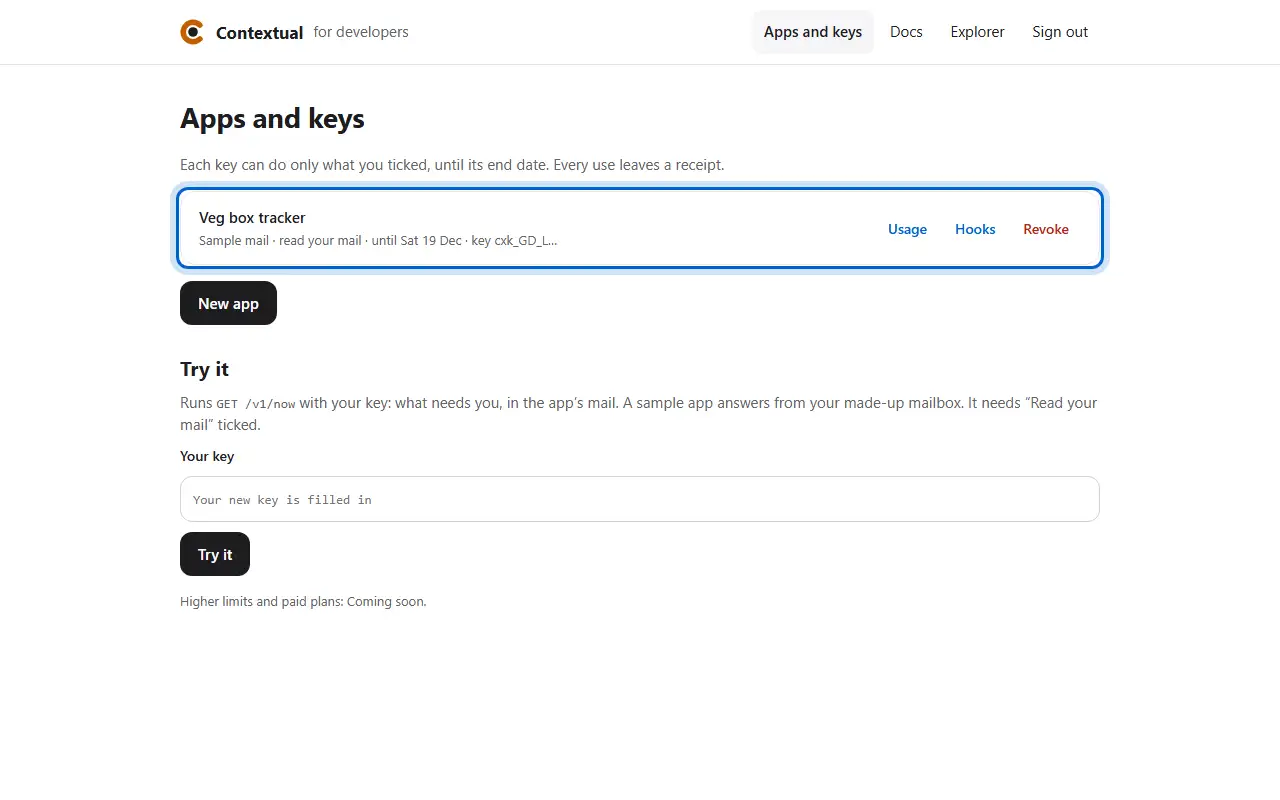
  2. Your app is listed with what its key may do and until when.
  1. Step 1The key shows once. Copy it somewhere safe, then press I’ve kept it.
  2. Step 2Your app is listed with what its key may do and until when.
Keys and permissions · 3 of 3

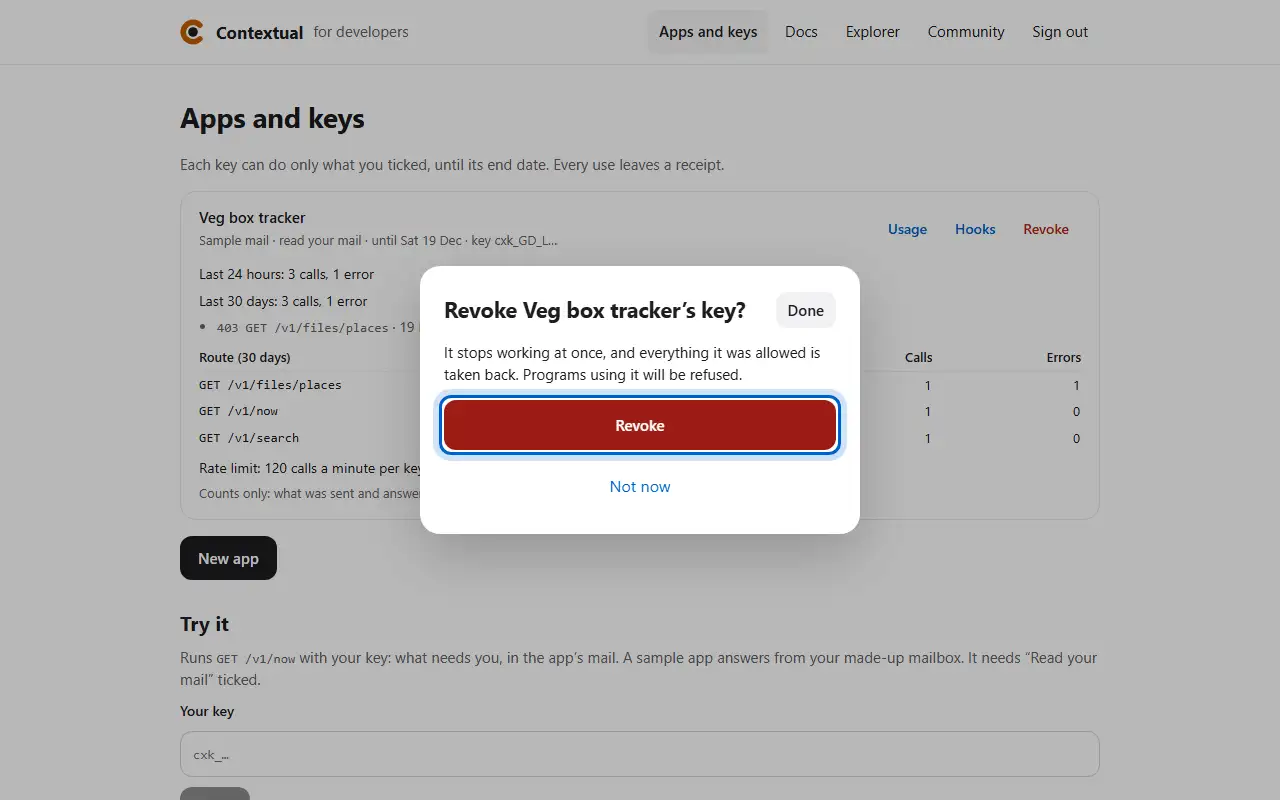
How to revoke a key

  1. Press Revoke: the key stops working at once.
  1. Step 1Press Revoke: the key stops working at once.
Making calls · 1 of 3

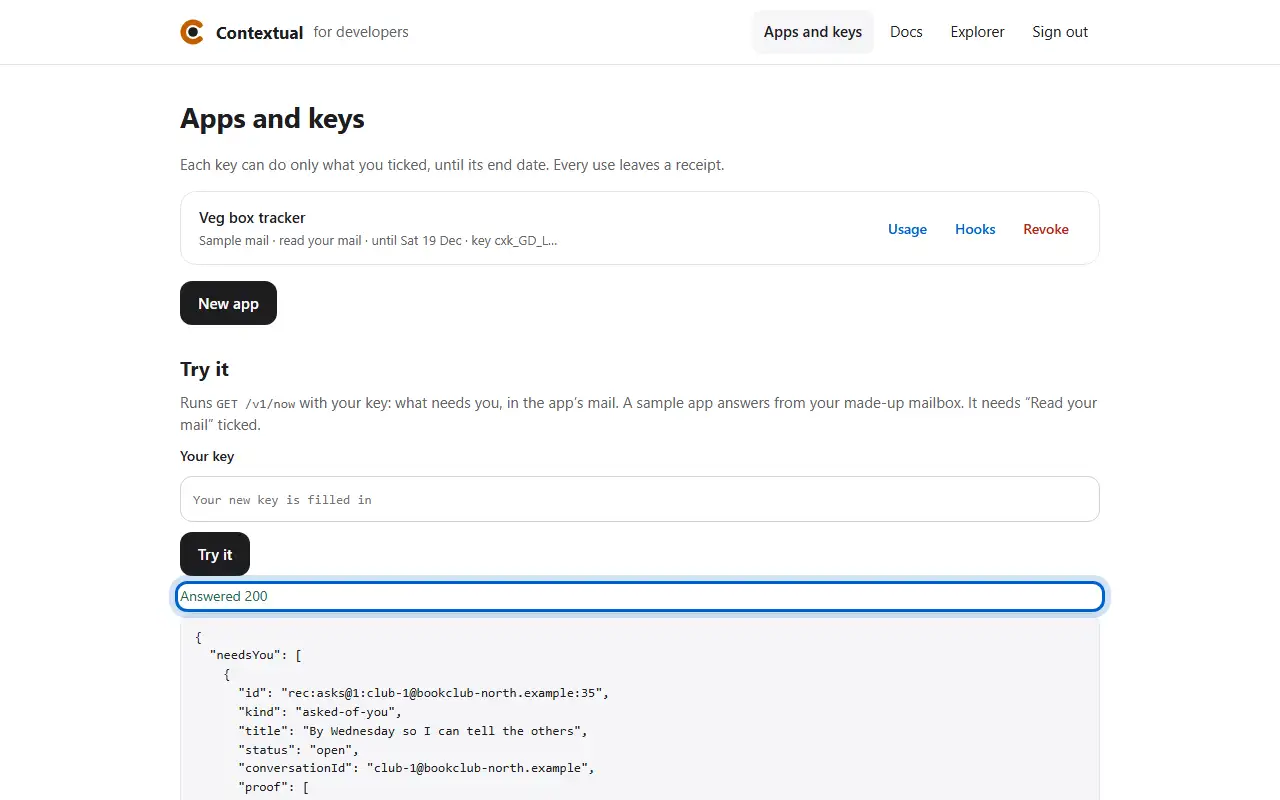
How to try a call

  1. Press Try it: your key runs a safe read and shows the answer.
  1. Step 1Press Try it: your key runs a safe read and shows the answer.
Making calls · 2 of 3

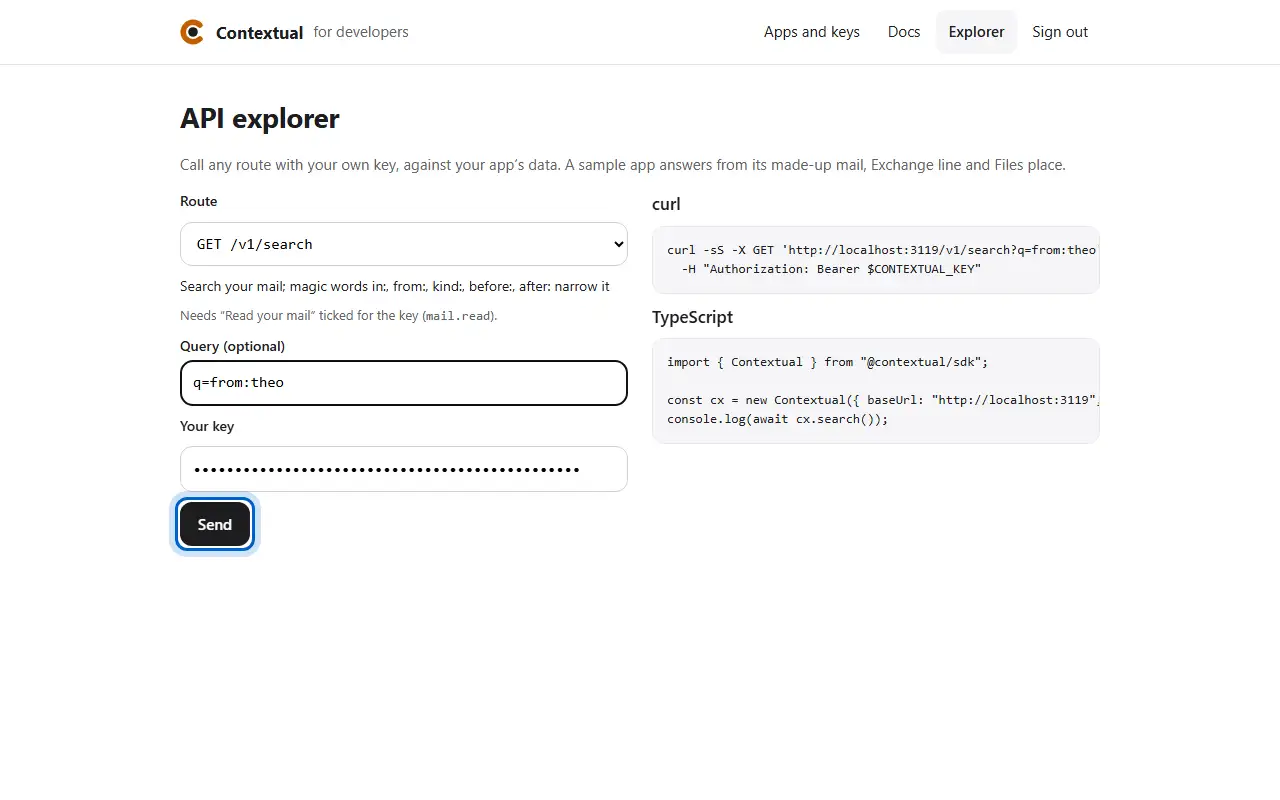
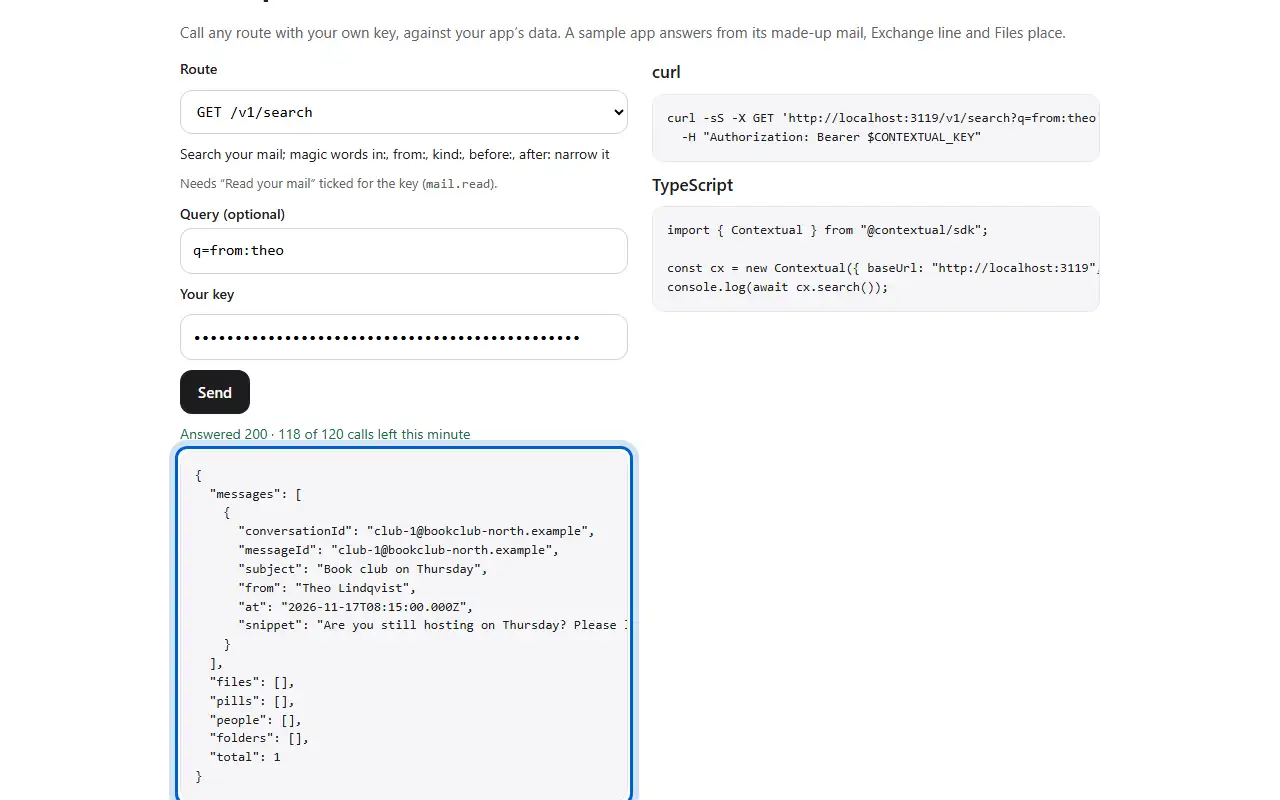
How to call any route

  1. In Explorer, choose a route, add a query and your key, then press Send.
  2. The answer shows as it came back, with how many calls are left this minute.
  1. Step 1In Explorer, choose a route, add a query and your key, then press Send.
  2. Step 2The answer shows as it came back, with how many calls are left this minute.
Making calls · 3 of 3

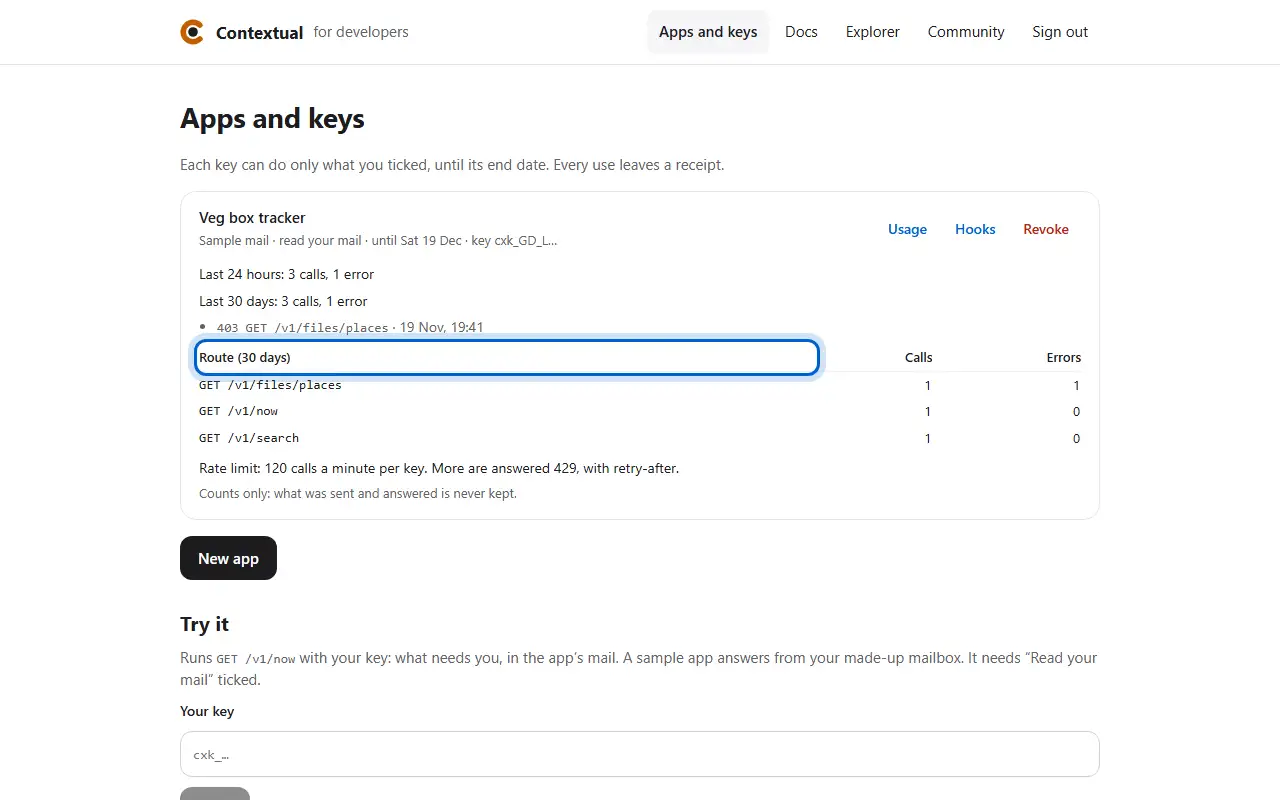
How to see an app's usage

  1. Press Usage: calls and errors by route, counts only.
  1. Step 1Press Usage: calls and errors by route, counts only.
Hooks · 1 of 1

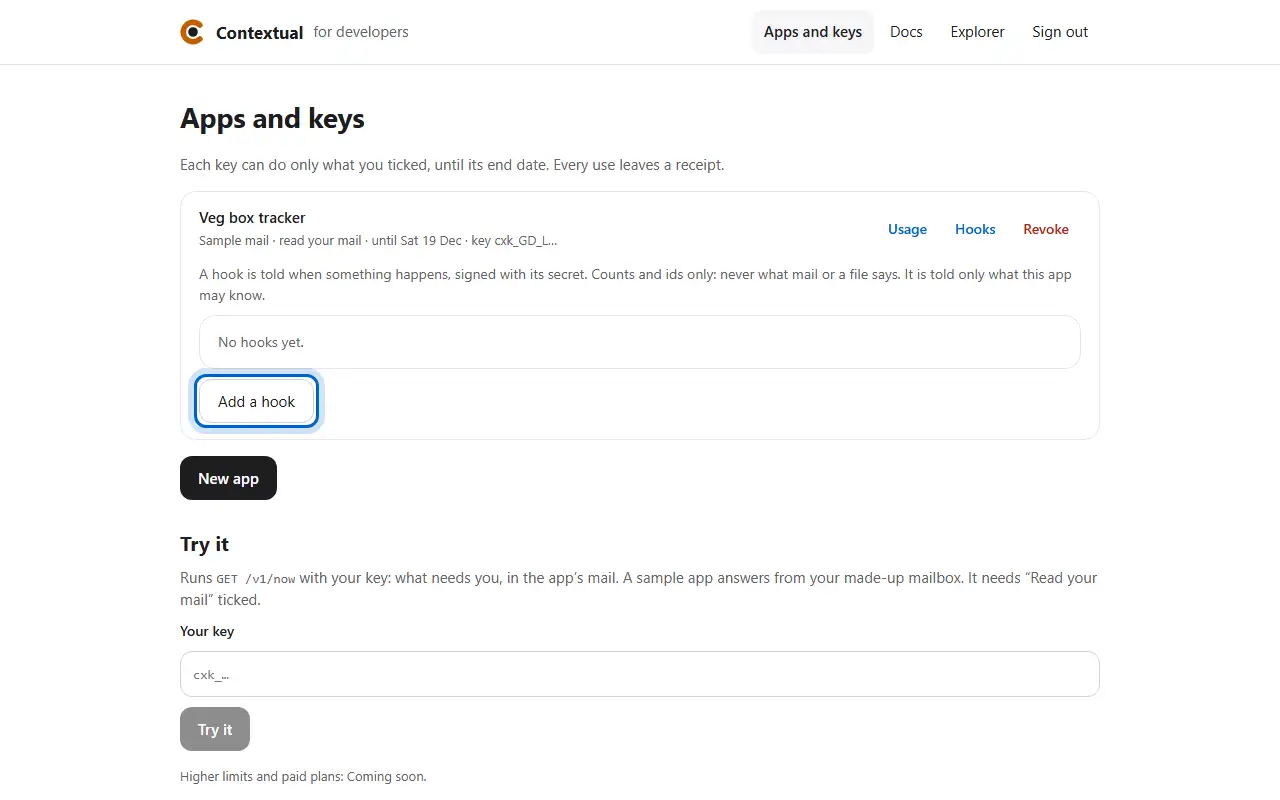
How to add a hook

  1. Press Hooks on your app, then Add a hook.
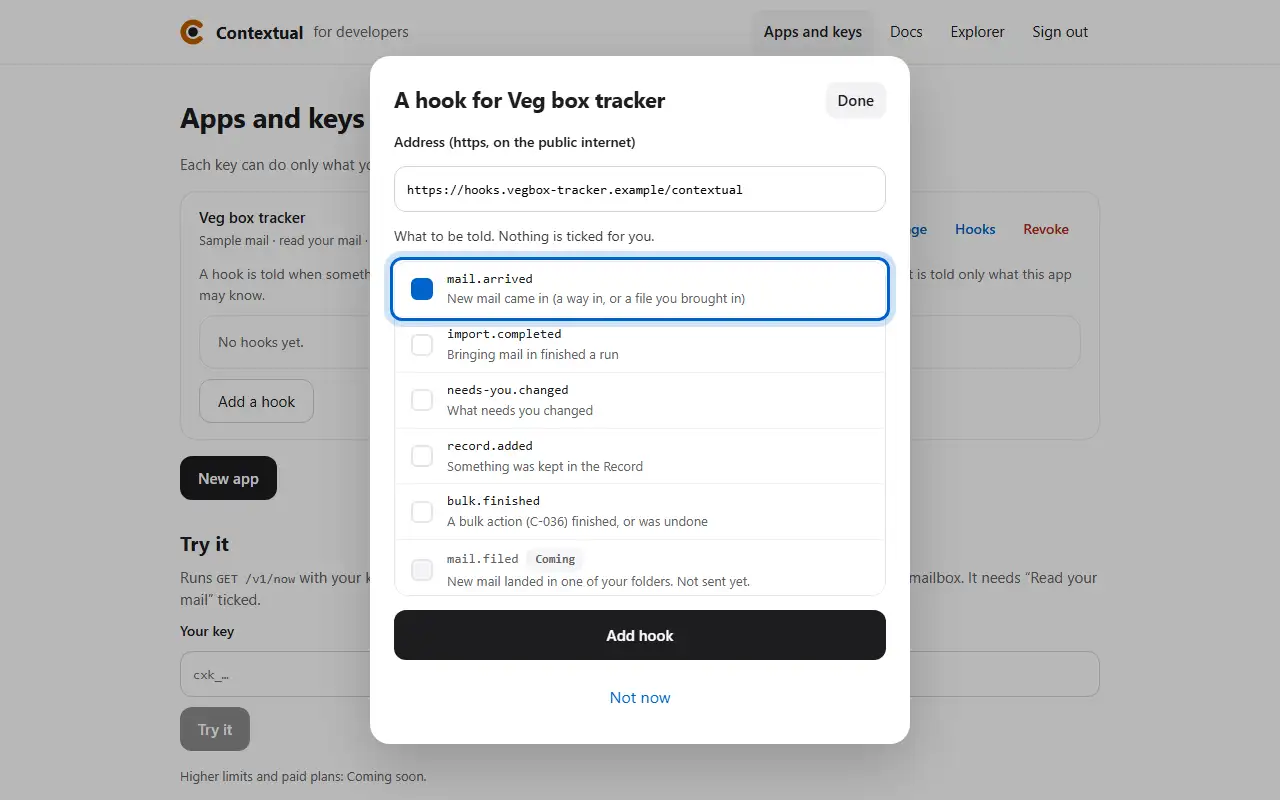
  2. Give an https address and tick what to be told.
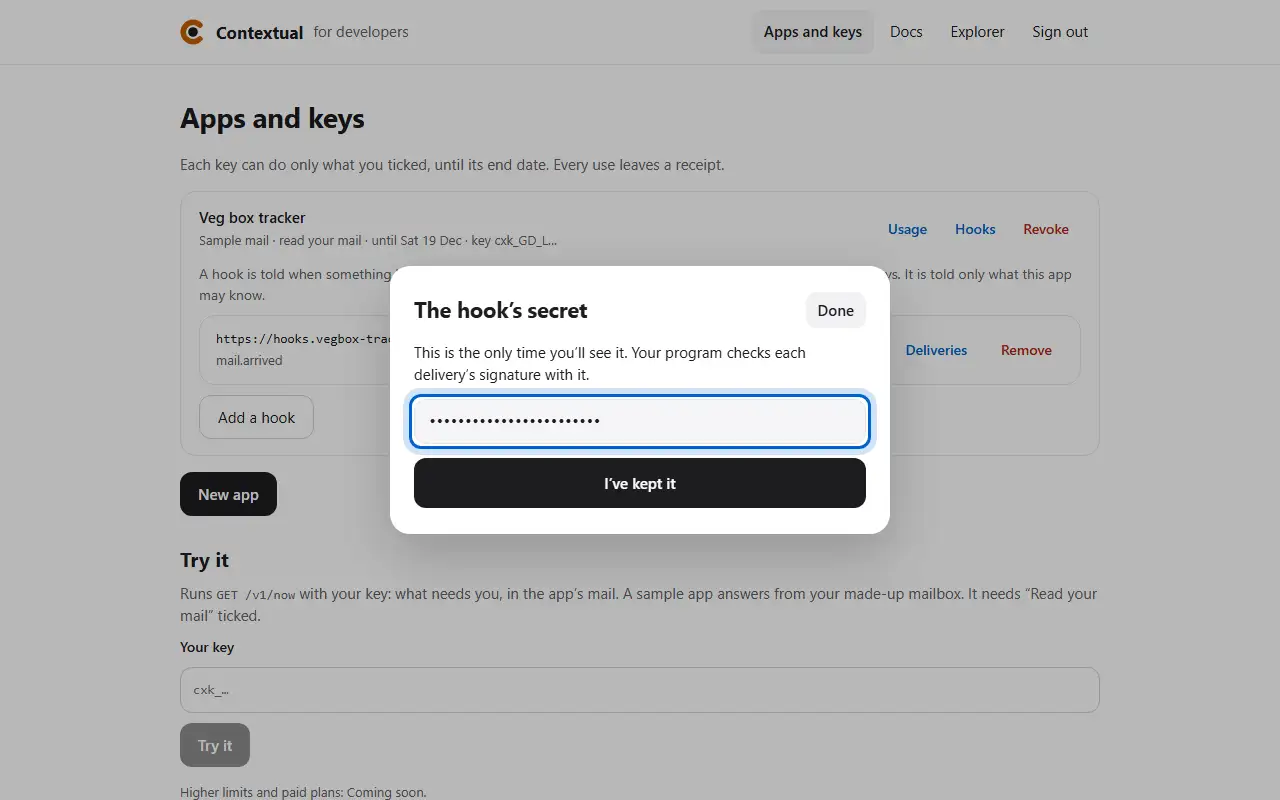
  3. The hook's secret shows once: your program checks each delivery's signature with it.
  1. Step 1Press Hooks on your app, then Add a hook.
  2. Step 2Give an https address and tick what to be told.
  3. Step 3The hook's secret shows once: your program checks each delivery's signature with it.
SDK, MCP and CLI · 1 of 4

How to make the same call in code

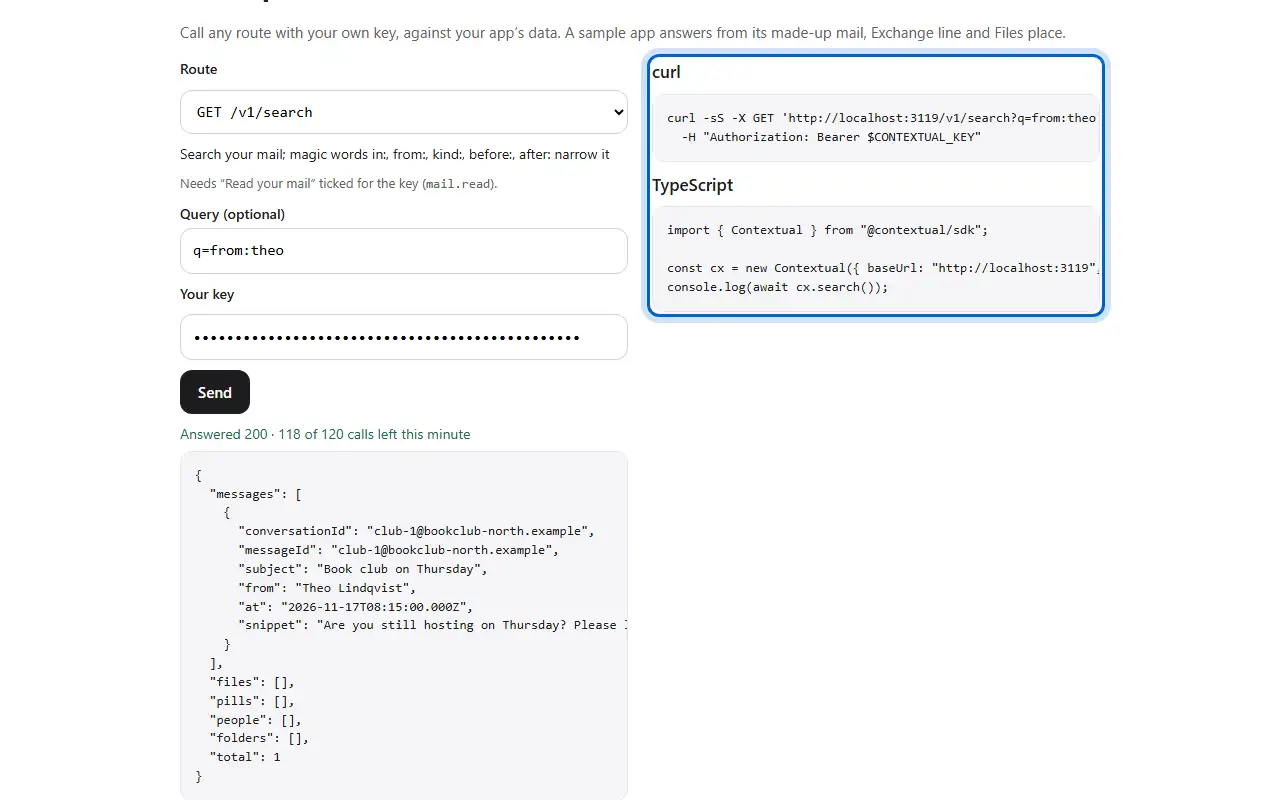
  1. Explorer shows each call as curl and as TypeScript with the SDK.
  1. Step 1Explorer shows each call as curl and as TypeScript with the SDK.
SDK, MCP and CLI · 2 of 4

How to give your AI assistant Contextual's tools

  1. Add the MCP server to your assistant's settings, with your key in its environment.
  1. Step 1Add the MCP server to your assistant's settings, with your key in its environment.
SDK, MCP and CLI · 3 of 4

How to use the CLI

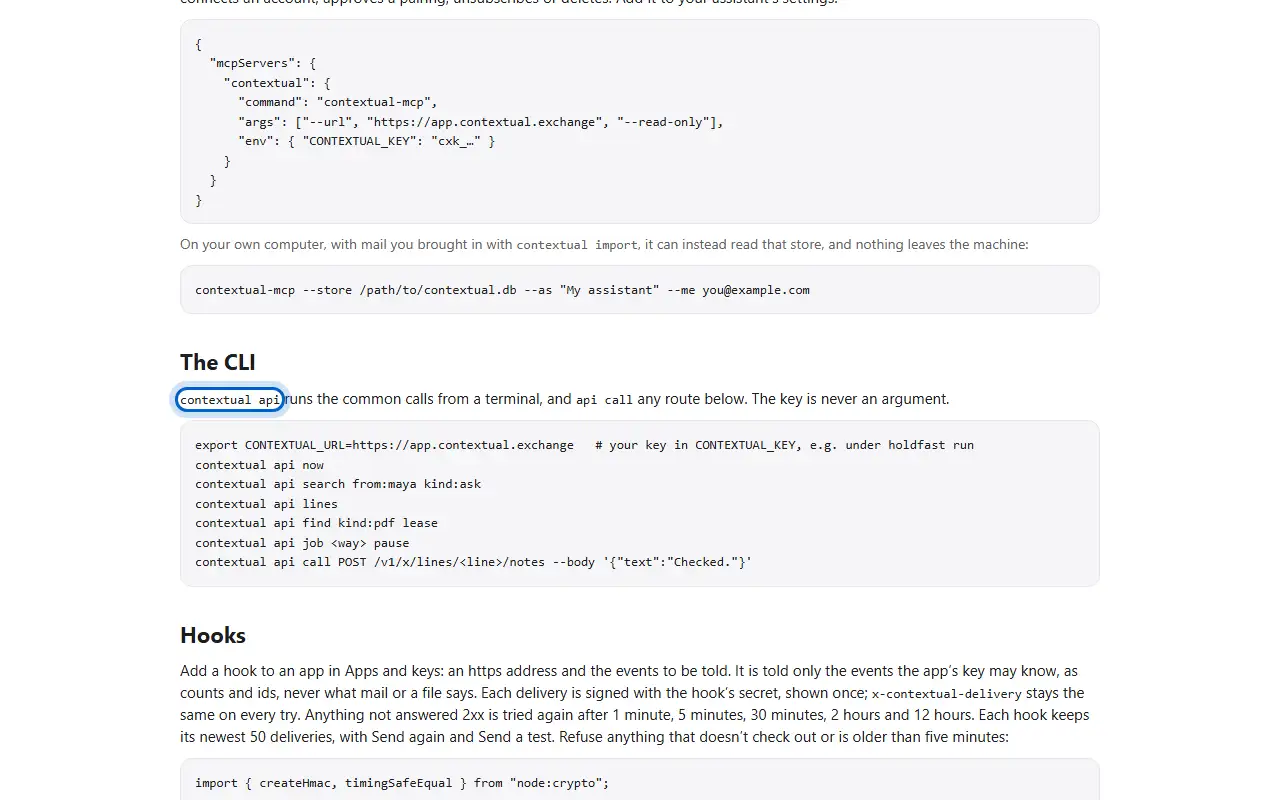
  1. contextual api runs the common calls from a terminal. The key is never an argument.
  1. Step 1contextual api runs the common calls from a terminal. The key is never an argument.
SDK, MCP and CLI · 4 of 4

How to read the docs

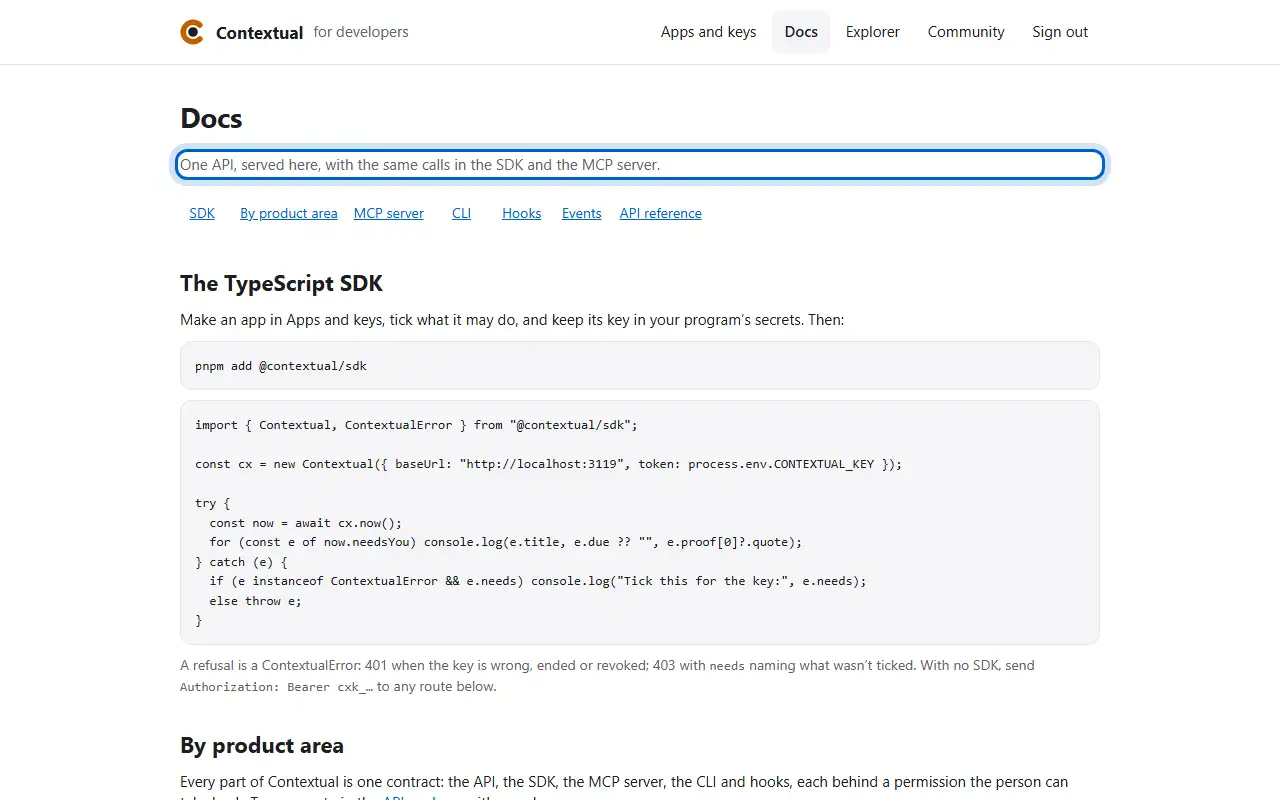
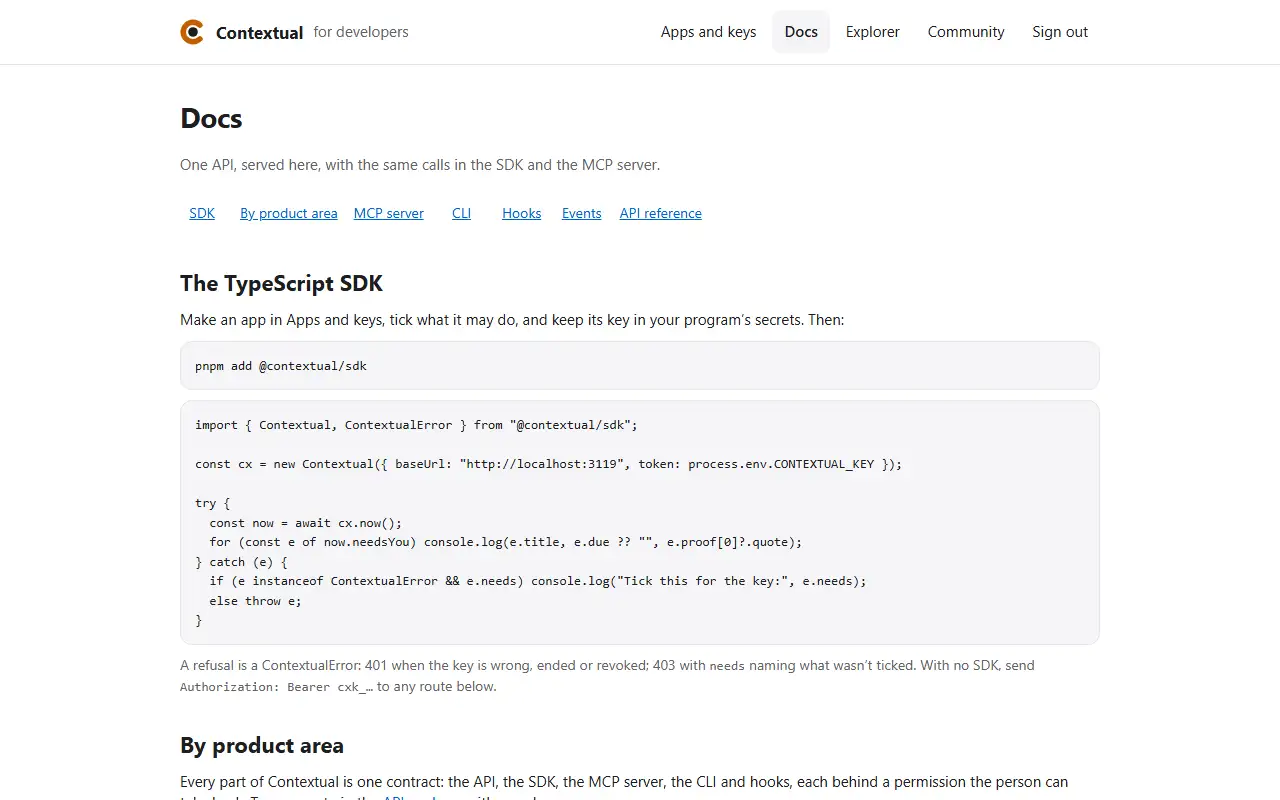
  1. Docs lists every route, what it needs, and an example.
  1. Step 1Docs lists every route, what it needs, and an example.
When a call is refused · 1 of 1

How to tell which permission a call needs

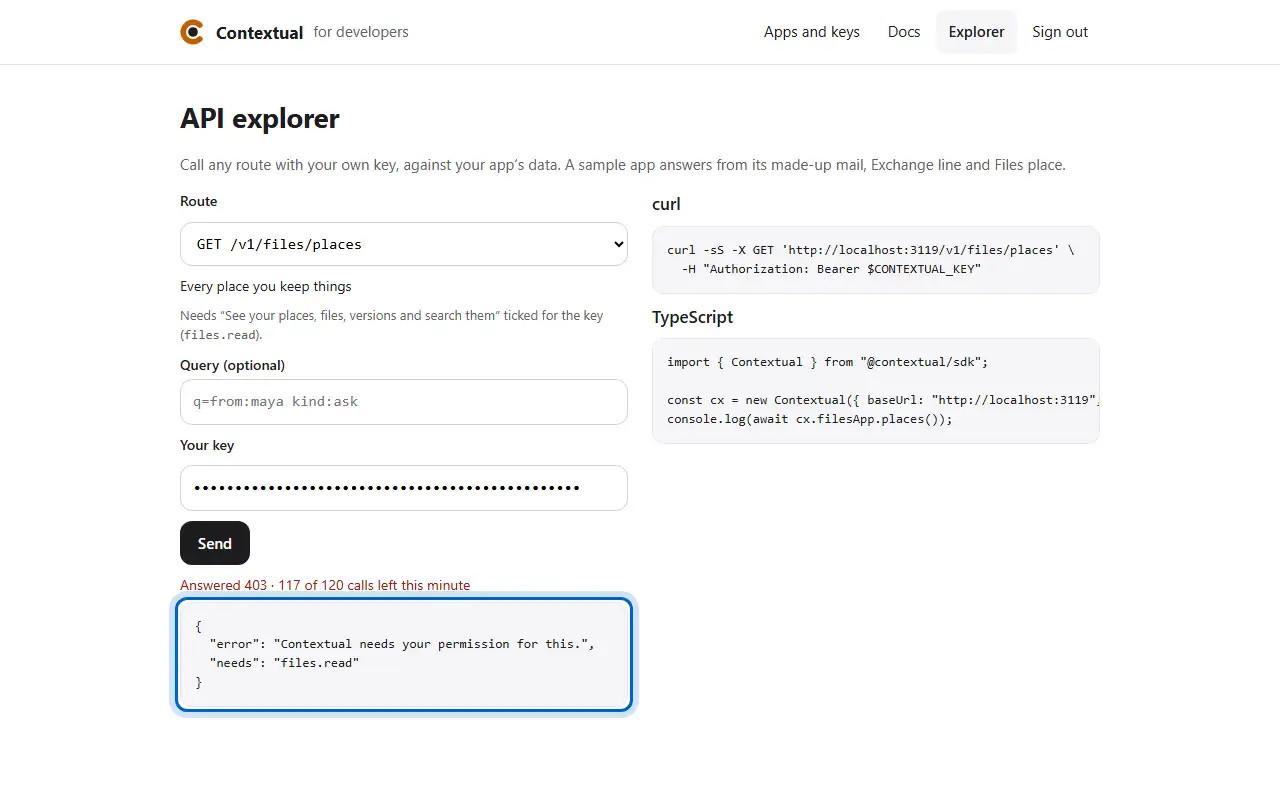
  1. A call the key wasn't given answers 403, and names the permission it needs.
  1. Step 1A call the key wasn't given answers 403, and names the permission it needs.

Now try it for real

Read what you can build, then make an app on the sample mailbox.